Add a new deck to your skateshop
Last updated on 23 November 2026
Your design file is ready (specs and templates)? Here's how to turn it into a deck in your skateshop.
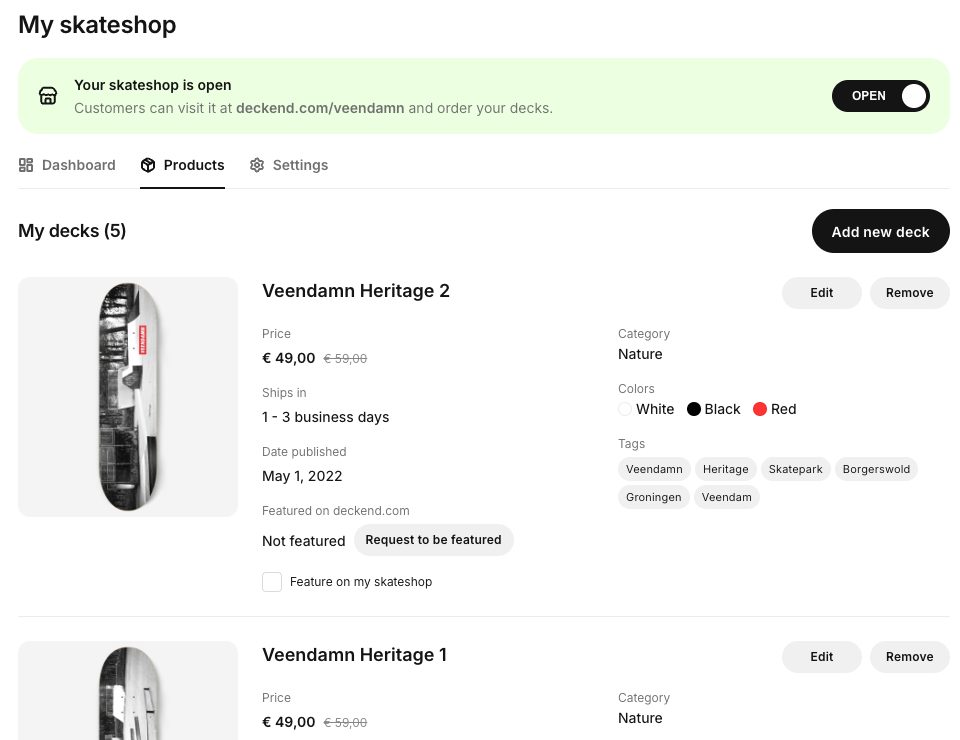
1. Go to Add new deck
Go to My skateshop > Products and click Add new deck.
2. Upload your design and fill in the details
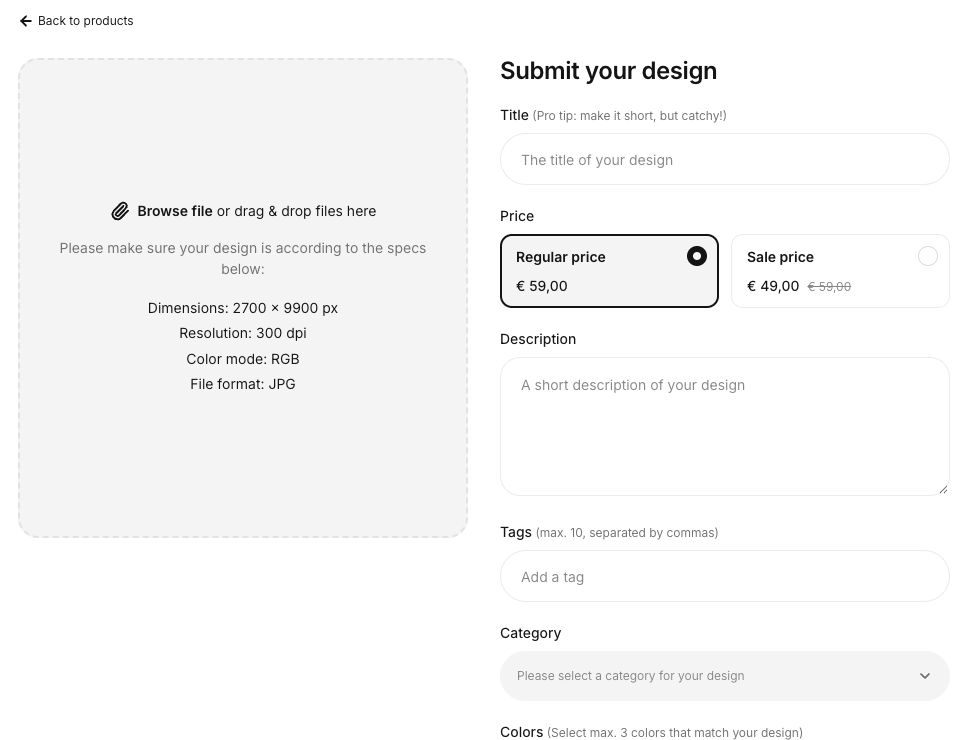
• Your design: drop your JPG in the upload box. You'll see right away how it looks as a deck.
• Title: short and catchy, it's the name of your deck.
• Price: the regular price (€59) or the sale price (€49). You can change it later.
• Description, tags, category and colours: these help people find your deck in the shop and in search engines.
3. Submit
We check every design before it goes live: the print quality, and that it follows our Community Guidelines. You get an email as soon as your deck is live, or what to change if it isn't yet.
After that
• Edit: change the title, description, price or tags any time in My skateshop > Products.
• Extra deck photos: add your own photos of the deck; we check them too.
• Feature on my skateshop: tick it to highlight the deck in your own skateshop.
• Request to be featured: ask for your deck to be shown in the deckend shop as well. More about that.