Set up your design file
Last updated on 23 November 2026
Every deck on deckend is printed from one design file. Set it up right once, and your design fits every deck size we make, from 7.5″ to 8.625″. This works the same for your own skateshop and for design contests.
The specs
| Canvas | 2700 × 9900 px (portrait, nose at the top) |
|---|---|
| Resolution | 300 dpi |
| Colour mode | RGB |
| File format | JPG, max. 100 MB |
The upload checks the size and colour mode for you. A file that doesn't match is refused, with a message about what to change.
Use our templates
Download the templates for Photoshop and Illustrator: deckend deck templates (zip). Both have the right canvas and a guide for every deck size.
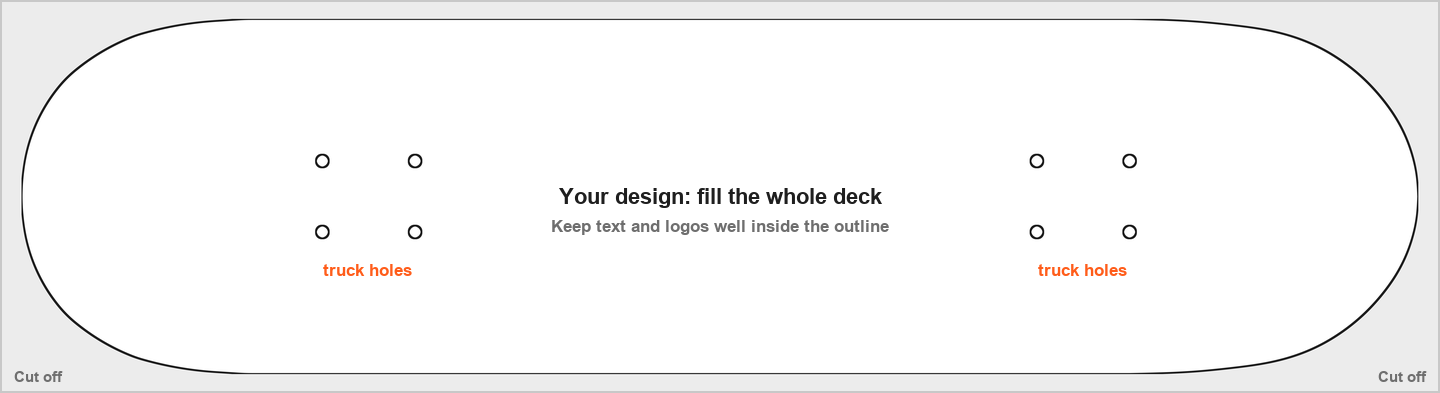
• Design on the layer "YOUR DESIGN HERE".
• Fill the whole canvas. Let your background run all the way to the edges. Anything outside the outline is cut off.
• Keep text and logos well inside the outline. One file is used for every deck width, and narrower decks lose a little more at the sides.
• Mind the truck holes. The trucks cover the area around the holes, so don't put important details there.
• Switch the guidelines off before you export. Otherwise they end up on your deck.
Export
Save as JPG at the highest quality, in RGB, 2700 × 9900 px.